Download Intelbras Mibo Smart free on android
APK file Mibo Smart 3.0.1How to install APK / APKS / OBB file on Android

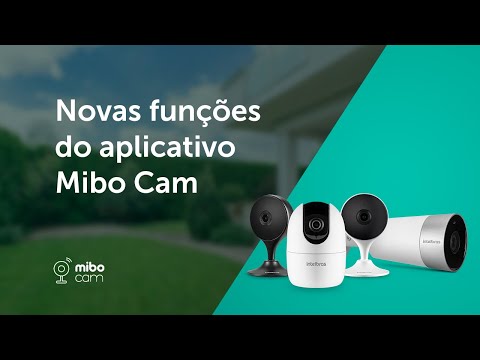

The Mibo Smart app offers many products to enhance the security and comfort of your home/business.
With the ability to create scenarios and automations, Mibo Smart makes your routine much smarter. Furthermore, share your environment and devices with family and friends.
After registering and logging in, you can add your Mibo product(s) to your account and then control them remotely.
Questions? Consult the Mibo Smart user manual for Mobile and Tablet for more details.
Mobile: https://manual-mibo.intelbras.com.br/pt-br/manuais/manual.html
Tablet: https://manual-mibo.intelbras.com.br/pt-br/manualPAD.html
To access the privacy policy, check the link below:
https://app-mibo.intelbras.com.br/termos/politicaprivacidade.html
Minimum system requirements Mobile:
Operating system: Android® version 7 (or higher)
Screen: 4.7”
Resolution: 1280 × 720p
- Izy Smart Integration: Now you can mirror and control your Izy app devices directly on the Intelbras Mibo Smart.
- AI-powered Smart Alerts: More organized notifications, grouping repeated alerts to avoid distractions.
- Interface and Stability: Visual refinements and internal fixes for smoother and safer navigation.
- LicenseFree
- File nameMibo Smart
- File Version3.0.1
- Package namebr.com.intelbras.mibocam
- Size150.87 MB
- UploadedJuly 23, 2026
- Android6.0 or later

- CategoryLifestyle
- DeveloperIntelbras S/A
- Developer sitehttp://www.intelbras.com.br
- Developer emailsuporte@intelbras.com.br
- md5 hashbe9229d8345c7ed27f745b90e23807d2
- Architecture-
- Permissionsshow (42)
